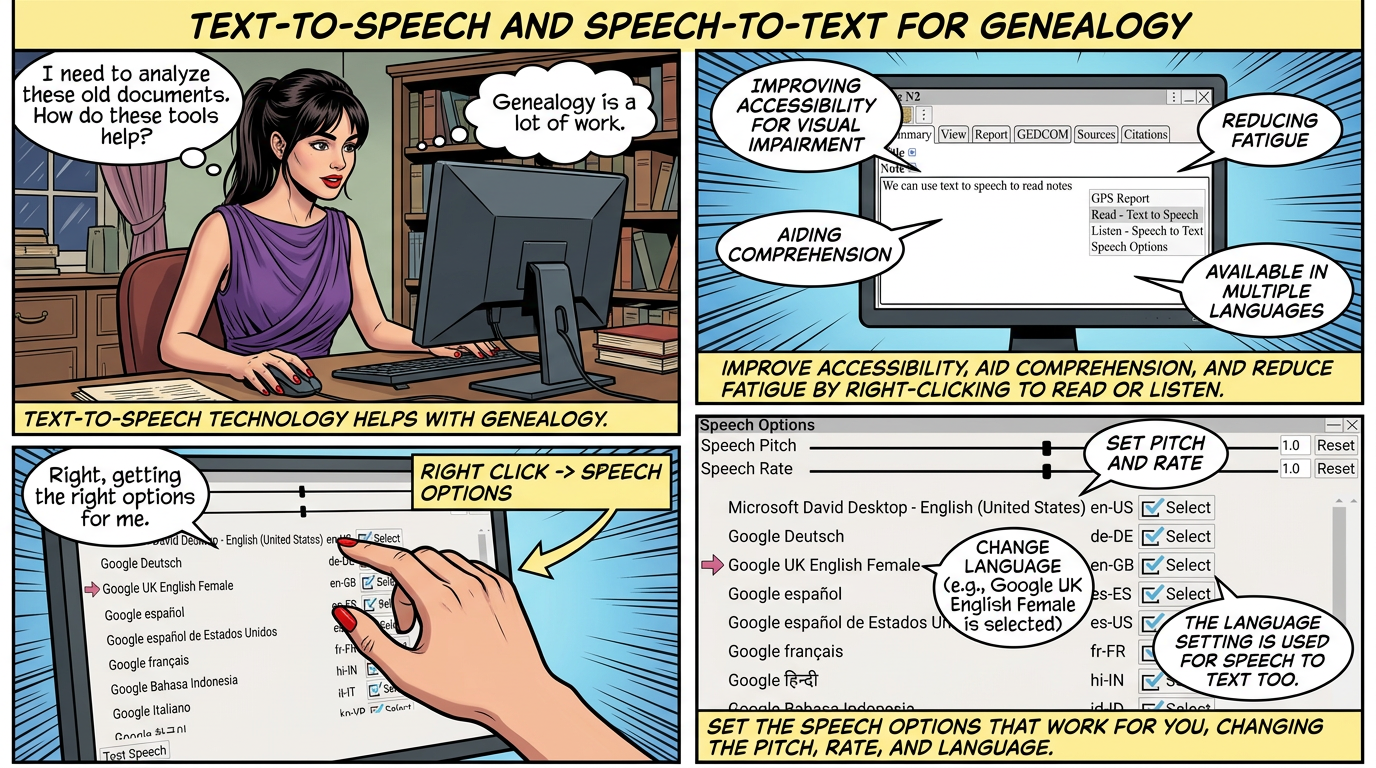
Text-to-speech helps with genealogy by:
• Improving Accessibility: Text-to-speech technology helps individuals with visual or reading impairments.
• Aiding Comprehension: Reads out old, complex, or foreign-language documents, making them easier to understand.
• Reducing Fatigue: Text-to-speech technology provides a welcome relief during long research sessions,
Text-to-speech and speech-to-text are available in multiple languages.
Right Click ⟶ Read - Text to Speech to speak the text in a textfield.
Right Click ⟶ Listen - Speech to Text To enter text from speech.
After you have finished recording, the text is appended to the existing text.

Set the speech options that work for you, not too fast and not too slow.
Right Click ⟶ Speech Options
 The language setting is also used for Speech to Text
Change the pitch, rate, and language.
