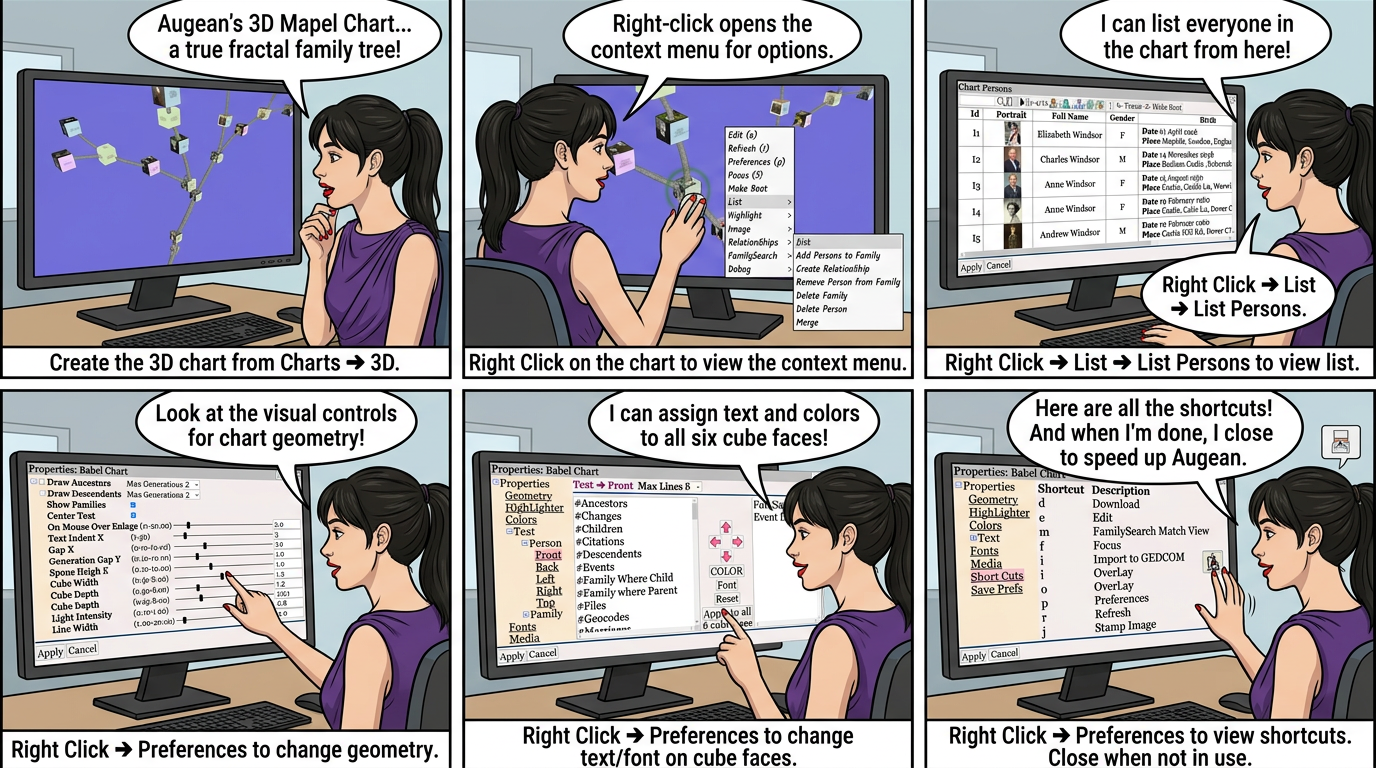
Create the 3D chart from ⟶ 3D ⟶
Example 3D Charts

The Mapel chart works the same as the 3D block chart, so please view the video for the 3D block Chart.
Right Click on the chart, to view the context menu

Right Click ⟶ List ⟶ List Persons to view the a list of persons in the chart.

| Set the camera focus person for the chart | |
| Set the root person for the chart |
Right Click ⟶ Preferences to change the chart geometry.

Right Click ⟶ Preferences to change the chart text/font.
Assign text to each face of the cube for persons, and families.

Right Click ⟶ Preferences to view the chart shortcuts.

• Right Click ⟶ Image ⟶ Stamp Image (j) to assign a placeholder image to a person.
 3D charts can slow down Augean, close 3D charts using when not used.