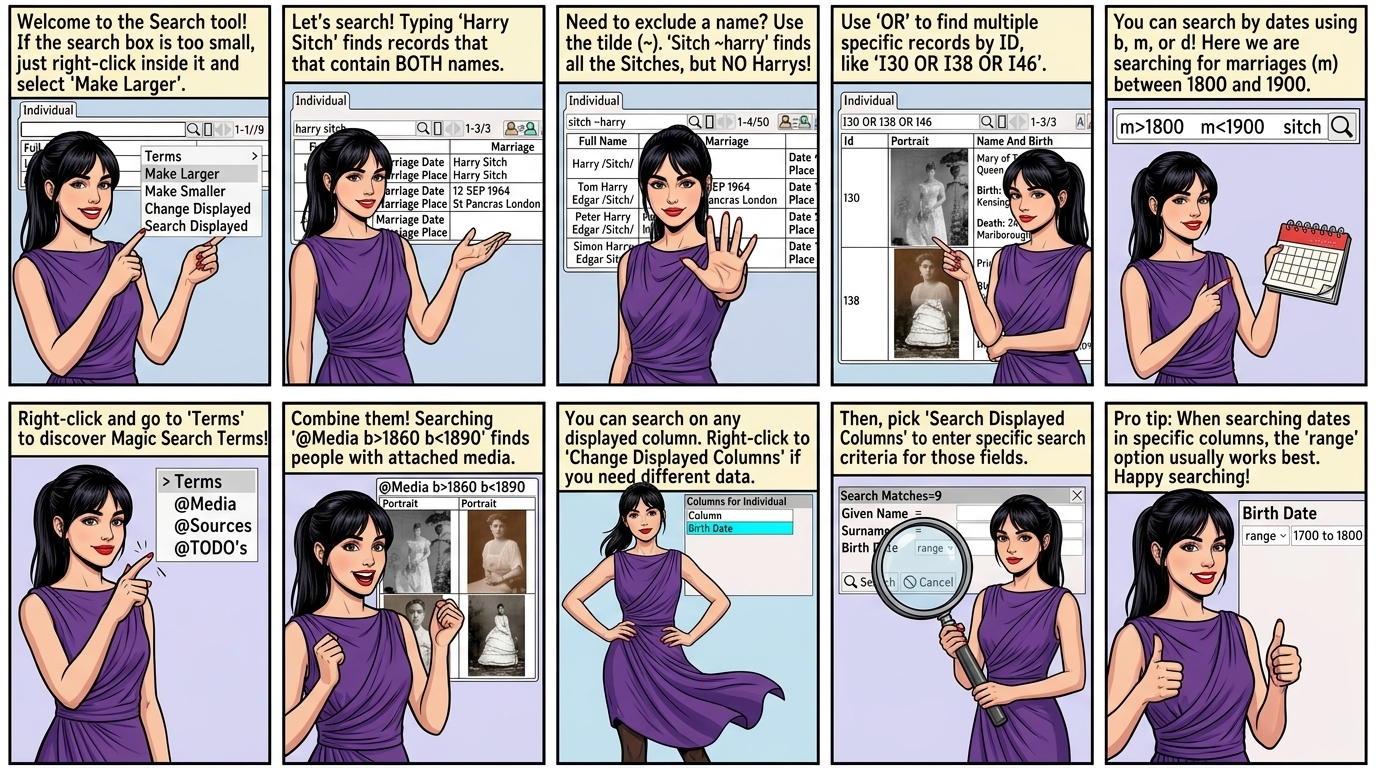
Every table has a Search box
Enter text in the search box to display records matching the search.
|
Change the size of the Search Box using Right Click ⟶ Make Larger
Right Click inside the Search Box to access this Menu.

Search Operators
| Harry Sitch | Search for persons that match both Harry AND Sitch |
| Harry OR Sitch | Search for persons that match Harry OR Sitch |
| Harry ~Sitch | Search for persons that match Harry but NOT Sitch.  There is no space after ~ |
(Note: you can't combine both AND , OR in the same query.)
Example
Search for Harry Sitch shows persons that match Harry AND Sitch.

Example
Search for Sitch ~Harry shows all the Sitches but NOT Harry

Example
Use the OR operator to search for persons by Id
I30 OR I38 OR I46
Searches for persons with Id I30 or I38 or I46

Search using Dates
| <1700 | Birth date before 1700 |
| >1800 | Birth date after 1800 |
| b <1700 | Birth date before 1700 |
| b >1800 | Birth date after 1800 |
| d <1700 | Death date before 1700 |
| d >1800 | Death date after 1800 |
| m <1700 | Marriage date before 1700 |
| m >1800 | Marriage date after 1800 |
There is no space between m and <Example
Search for all the Sitches with the marriage date between 1800 and 1900
m>1800 m<1900 sitch

Magic Search Terms
The following special terms are supported
| @Media | Search for persons with Media |
| @Source | Search for persons with Sources |
| @Todo | Search for persons with TODO's |
Right Click inside the search dialog to see the magic search terms listed under the Terms menu

Example to search for all persons with media born between 1860 and 1890
@Media b>1860 b<1890

Search Columns
Search on any of the displayed columns in the table.
Select the columns to display.
Displayed columns can be searched on.
Right Click ⟶ Change Displayed Columns
Only displayed columns can be searched on.
Right Click ⟶ Search Displayed Columns
Show the column search dialog, then enter search criteria
 Press to clear the search.
• Range often works best for searching dates.

Searching a date range between 1700 and 1800