Latest version is Beta Oct 10 2026
Augean requires Chrome or Microsoft Edge
| • The install script is easy to run - you can see exactly what is being installed. • Install scripts are available for (Mac, Windows, Linux, Chromebooks)⨯(Intel, Arm) • Everything, including the Microsofts 64 bit OpenJDK 21 Server is stored under the augean folder. • Augean wont interfere with other Java versions on the system. • Augean can be uninstalled just by deleting the augean folder |
 Recommend using the graphical MSIX installer Install ⟶ Install Windows
 Please watch the "Get started video" first
How to Install on Windows
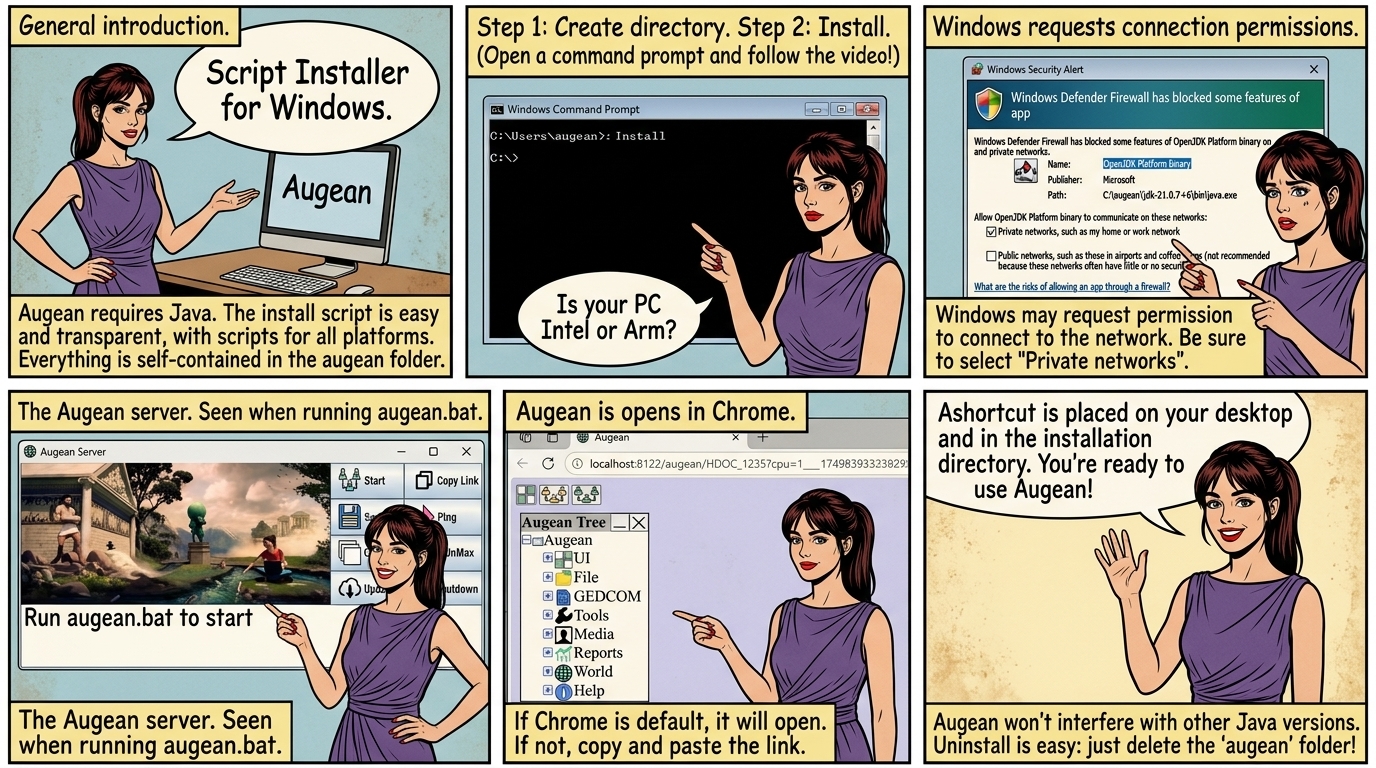
Open a command prompt (please see the above video). then copy and paste to the command prompt.
Step 1, Create the directory for Augean
Step 2, Install Augean
Choose one of the following
 Your computer is
 If the computer is Intel
If the computer is Arm
A shortcut is placed on the desktop, and in the installation directory.
Run augean.bat to start.
Select Private networks as well as public networks.
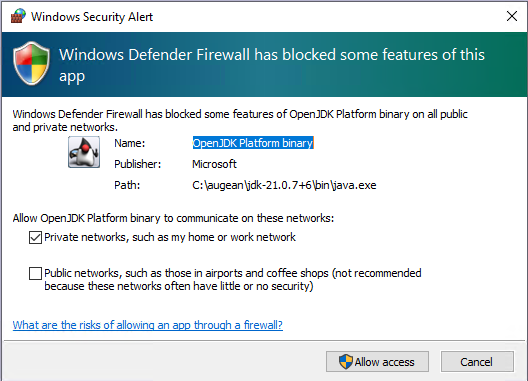
Windows may request permission to connect to the network
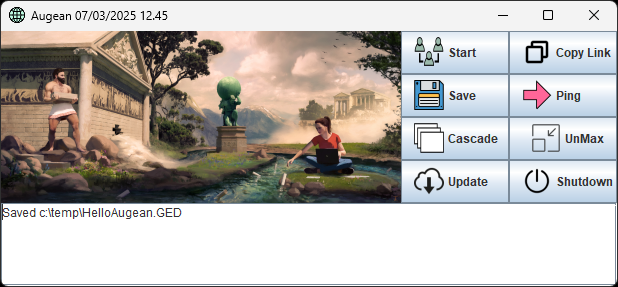
The Augean server. Seen when running augean.bat
If Chrome of Edge are you default browser press
Otherwise press and paste the link into a Chrome browser.
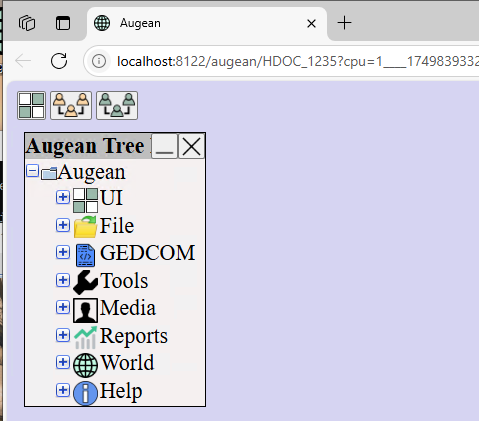
Augean opens in Chrome